
markdown-for-agents




HTML-to-Markdown converter built for AI agents. Zero dependencies, pure Python.
Try it in the playground - paste a URL or HTML and see the conversion live.
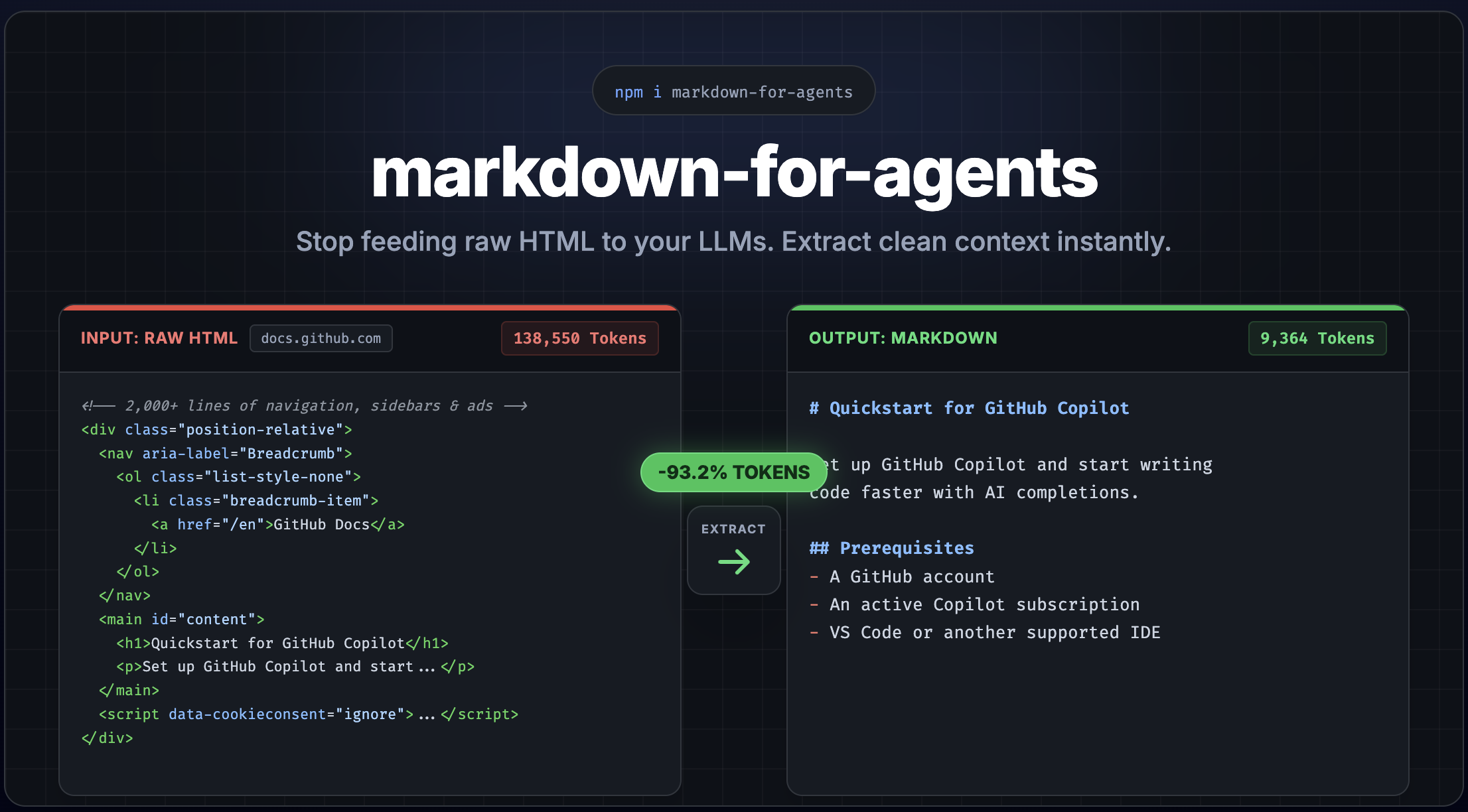
Convert any HTML page into clean, token-efficient Markdown - with built-in content extraction to strip away navigation, ads, and boilerplate. Python port of the TypeScript library, inspired by Cloudflare's Markdown for Agents.
Features
- Zero dependencies - pure Python stdlib, no external packages required
- Frontmatter - automatically extracts title, description, and image from
<head>and prepends YAML frontmatter - Content extraction - strip nav, footer, ads, sidebars, cookie banners automatically
- Content-signal header - opt-in
content-signalHTTP header for publisher consent (AI training, search, AI input) - Framework middleware - drop-in support for FastAPI, Flask, and Django
- Content negotiation - respond with Markdown when clients send
Accept: text/markdown - Token estimation - built-in heuristic token counter for LLM cost planning, with support for custom tokenizers
- Plugin system - override or extend any element conversion with custom rules
- Fully typed - complete type annotations with strict mypy compliance
- Python 3.12+ - modern Python with dataclasses, slots, and TypedDict
Install
pip install markdown-for-agentsQuick Start
from markdown_for_agents import convert

html = """
  <h1>Hello World</h1>
  <p>This is a <strong>simple</strong> example.</p>
"""

result = convert(html)

print(result.markdown)
# # Hello World
#
# This is a **simple** example.

print(result.token_estimate)
# TokenEstimate(tokens=12, characters=46, words=8)

print(result.content_hash)
# "d-1a3b4c5" - deterministic, use as ETag or cache key
Content Extraction
Real-world HTML pages are full of navigation, ads, sidebars, and cookie banners. Enable extraction mode to get just the main content:
result = convert(html, extract=True)This strips <nav>, <header>, <footer>, <aside>, <script>, <style>, ad-related elements, cookie banners, social widgets, and more.
Customize extraction with ExtractOptions:
from markdown_for_agents import ExtractOptions

result = convert(html, extract=ExtractOptions(
    keep_header=True,
    keep_footer=True,
    strip_classes=("my-custom-ad",),
    strip_ids=("remove-me",),
))
Frontmatter
By default, metadata is extracted from the HTML <head> element and prepended as YAML frontmatter. This aligns with Cloudflare's Markdown for Agents convention.
html = """<html>
  <head>
    <title>My Page</title>
    <meta name="description" content="A great page about things">
    <meta property="og:image" content="https://example.com/hero.png">
  </head>
  <body><p>Content here</p></body>
</html>"""

result = convert(html)
# ---
# title: My Page
# description: A great page about things
# image: https://example.com/hero.png
# ---
# Content here
Extracted fields: title (from <title>), description (from <meta name="description">), image (from <meta property="og:image">).
Disable it or merge custom fields:
# Disable frontmatter
convert(html, frontmatter=False)

# Merge custom fields (custom overrides extracted)
convert(html, frontmatter={"author": "Jane", "title": "Custom Title"})
Middleware
Framework middleware is available as optional extras - they serve Markdown automatically when AI agents request it via Accept: text/markdown:
pip install markdown-for-agents[fastapi]
pip install markdown-for-agents[flask]
pip install markdown-for-agents[django]# FastAPI / Starlette
from markdown_for_agents.middleware.fastapi import MarkdownMiddleware
app.add_middleware(MarkdownMiddleware)
# Flask
from markdown_for_agents.middleware.flask import markdown_after_request
markdown_after_request(app)
# Django - add to MIDDLEWARE in settings.py
MIDDLEWARE = [
# ...
"markdown_for_agents.middleware.django.MarkdownMiddleware",
]The middleware inspects the Accept header. Normal browser requests pass through untouched. When an AI agent sends Accept: text/markdown, the HTML response is automatically converted.
Pass options to customize the conversion:
from markdown_for_agents import MiddlewareOptions

# FastAPI
app.add_middleware(
    MarkdownMiddleware,
    options=MiddlewareOptions(
        extract=True,
        deduplicate=True,
        server_timing=True,
    ),
)

# Flask
markdown_after_request(app, options=MiddlewareOptions(extract=True))| Package extra | Framework |
|---|---|
markdown-for-agents[fastapi] | FastAPI / Starlette |
markdown-for-agents[flask] | Flask |
markdown-for-agents[django] | Django |
Custom Rules
Override how any element is converted, or add support for custom elements:
from markdown_for_agents import convert, create_rule

result = convert(html, rules=[
    create_rule(
        filter=lambda node: node.name == "div" and "callout" in node.attribs.get("class", ""),
        replacement=lambda ctx: f"\n\n> **Note:** {ctx.convert_children(ctx.node).strip()}\n\n",
    )
])
Custom rules have higher priority than defaults and are applied first.
Rule replacements return:
str- the markdown outputNone- strip the element entirelySKIP- fall through to the next matching rule
from markdown_for_agents import Rule, SKIP

rule = Rule(
    filter=["div", "section"],
    replacement=lambda ctx: SKIP,  # Let default rules handle it
    priority=100,  # Higher runs first
)
Options
All options are optional. Defaults are shown below:
convert(html,
    # YAML frontmatter from <head> metadata
    frontmatter=True,  # False | dict[str, str]

    # Content extraction
    extract=False,  # True | ExtractOptions

    # Custom conversion rules
    rules=[],  # list[Rule]

    # Base URL for resolving relative links and images
    base_url="",  # "https://example.com"

    # Heading style
    heading_style="atx",  # "atx" (#) or "setext" (underline)

    # Bullet character for unordered lists
    bullet_char="-",  # "-", "*", or "+"

    # Code block style
    code_block_style="fenced",  # "fenced" or "indented"

    # Fence character
    fence_char="`",  # "`" or "~"

    # Strong delimiter
    strong_delimiter="**",  # "**" or "__"

    # Emphasis delimiter
    em_delimiter="*",  # "*" or "_"

    # Link style
    link_style="inlined",  # "inlined" or "referenced"

    # Remove duplicate content blocks
    deduplicate=False,  # True | DeduplicateOptions

    # Custom token counter (replaces built-in heuristic)
    token_counter=None,  # Callable[[str], TokenEstimate]

    # Performance timing (populates convert_duration in result)
    server_timing=False,  # True to measure conversion duration
)
Server Timing
Enable server_timing to measure conversion duration. The result includes convert_duration (in milliseconds), and middleware adapters use it to set a Server-Timing header:
result = convert(html, server_timing=True)
print(f"Conversion took {result.convert_duration}ms")
# Middleware sets: Server-Timing: mfa.convert;dur=4.7;desc="HTML to Markdown"
Custom Token Counter
By default, token estimation uses a fast heuristic (~4 characters per token). You can replace it with an exact tokenizer:
from markdown_for_agents import convert, TokenEstimate
import tiktoken

enc = tiktoken.encoding_for_model("gpt-4o")

result = convert(html, token_counter=lambda text: TokenEstimate(
    tokens=len(enc.encode(text)),
    characters=len(text),
    words=len(text.split()),
))
The custom counter receives the final markdown string and must return a TokenEstimate with tokens, characters, and words fields.
Deduplication Options
Pass deduplicate=True to use defaults, or pass a DeduplicateOptions object to customize behavior:
from markdown_for_agents import DeduplicateOptions

result = convert(html, deduplicate=DeduplicateOptions(min_length=5))
The min_length option (default: 10) controls the minimum block length eligible for deduplication. Blocks shorter than this are always kept. Lower it to catch short repeated phrases, raise it for more conservative deduplication.
Content-Signal Header
Middleware can set a content-signal HTTP header to communicate publisher consent for AI training, search indexing, and AI input. This is opt-in - the header is only set when explicitly configured:
from markdown_for_agents import MiddlewareOptions, ContentSignalOptions

app.add_middleware(
    MarkdownMiddleware,
    options=MiddlewareOptions(
        content_signal=ContentSignalOptions(
            ai_train=True,   # ai-train=yes
            search=True,     # search=yes
            ai_input=True,   # ai-input=yes
        ),
    ),
)
# Sets header: content-signal: ai-train=yes, search=yes, ai-input=yes
Only explicitly set fields are included. Set a field to False to signal denial (e.g. ai_train=False produces ai-train=no). Omit a field to exclude it from the header entirely.
Supported Elements
Block
| HTML | Markdown |
|---|---|
<h1>...<h6> | # Heading (atx) or underline (setext) |
<p> | Paragraph with blank lines |
<blockquote> | > Quoted text |
<pre><code> | Fenced code block with language |
<hr> | --- |
<br> | Trailing double-space line break |
<ul>, <ol>, <li> | Lists with nesting and indentation |
<table> | GFM pipe table with separator row |
<script>, <style>, <noscript>, <template> | Stripped |
Inline
| HTML | Markdown |
|---|---|
<strong>, <b> | **bold** |
<em>, <i> | *italic* |
<del>, <s>, <strike> | ~~strikethrough~~ |
<code> | `inline code` |
<a> | [text](url) with title and base_url support |
<img> |  with title and base_url support |
<sub> | ~subscript~ |
<sup> | ^superscript^ |
<abbr>, <mark> | Pass-through (text preserved) |
Python Compatibility
| Python | Status |
|---|---|
| 3.12 | Tested |
| 3.13 | Tested |
| 3.14 | Tested |
TypeScript Version
The TypeScript version of this library offers additional features including framework middleware for Express, Fastify, Hono, Next.js, and Web Standard servers, plus a CLI audit tool. See the TypeScript package for details.
License
MIT